Didi is China's dominant ride-hailing service. It operates in 400+ cities and completes 30 million rides per day. The Chinese version of the app is entirely in Chinese, but Didi maintains an international version called DiDi Rider designed for foreign visitors. It works in English, accepts foreign phone numbers, and charges your Visa or Mastercard directly.
Which App to Download
Search your app store for "DiDi Rider" or "DiDi — Ride Hailing." The correct app icon: an orange circle with the white word "DiDi" in lowercase.
The correct international version has these characteristics:
- The interface is entirely in English from the moment you open it
- The registration screen shows a country code dropdown with 200+ countries
- The payment screen offers "Add Card" with Visa/Mastercard logos
- The home screen says "Where to?" in English, not "你要去哪儿" in Chinese
Do not download the Chinese Didi app (滴滴出行). The icon looks similar — same orange color — but the app name shows in Chinese characters and the interface has no English option.
Step-by-Step Guide
Step 1: Register with Your Foreign Phone Number
- Open DiDi Rider. The welcome screen shows the Didi logo and "Get Started."
- Select your country code from the dropdown. The app detects your phone's region and pre-selects it.
- Enter your foreign phone number — the number you use at home. A UK number, US number, Australian number all work. The app sends an SMS verification code to this number.
- Enter the verification code. If the SMS does not arrive within 60 seconds, tap "Resend." Check that your phone has signal and is not blocking international SMS.
- Accept the terms of service.
Your account is now active. No passport verification. No Chinese phone number required. Registration takes 90 seconds.
Step 2: Set Up Payment
Go to Profile > Wallet > Payment Methods. You see two options:
Option A: Add a credit/debit card (simplest path). Tap "Add Card." Enter your Visa, Mastercard, or JCB card number, expiry date, and CVV. The app tokenizes your card. Each ride charges automatically in RMB, and your card issuer converts to your home currency at the day's exchange rate plus a 0-3% foreign transaction fee depending on your card. Test this with a short trip first — some foreign cards are declined on the first attempt. If declined, remove the card, add it again, and try a different ride request. If declined twice, switch to Option B.
Option B: Link Alipay or WeChat Pay (recommended for reliability). Select "Alipay" or "WeChat Pay" from the payment options. The app redirects you to the Alipay/WeChat Pay authorization screen. Tap "Confirm" to authorize Didi to charge through your wallet. If you have a foreign card linked to Alipay, Didi now charges Alipay, which charges your card. This routing is more reliable because Alipay acts as an intermediary — Didi sees a domestic payment method rather than a foreign card.
Option B is the recommended setup. Foreign cards occasionally fail on the Didi Rider end. Alipay/WeChat Pay routes solve this permanently.
Step 3: Set Your Pickup — The Most Important Step
-
The home screen shows your current location as a blue dot on the map. The app drops a pickup pin at your location automatically. This automatic pin is usually wrong — GPS in Chinese cities can be offset by 20-200 meters due to the GCJ-02 coordinate system used in China.
-
You must verify and adjust the pickup pin. Tap the pickup address box at the top of the screen. A full-screen map appears. The pin shows where the driver will go. Is it actually where you are standing? If not:
- Pinch and zoom the map to find your exact building or entrance.
- Drop the pin manually by tapping the correct spot on the map.
- Type the pickup address if you know it — the app accepts English text for landmarks and hotel names.
-
Choose a specific, visible pickup point. The driver needs to spot you. Good pickup points: hotel main entrance (the door with the doorman), shopping mall main entrance (the door with the mall name), a Starbucks or McDonald's entrance, a subway station exit (numbered exits are easiest — "Exit B, Line 1"). Bad pickup points: "my current location" on a busy six-lane road with no curb access, the middle of a pedestrian street, a random intersection.
-
If you are at a hotel, type the hotel name. DiDi Rider's map database includes major hotel names in English. The driver's navigation directs them exactly to the hotel entrance.
Step 4: Enter Your Destination
-
Type the destination in the "Where to?" box. You can enter:
- English: Hotel names, tourist attractions, landmark names ("The Bund," "Beijing Capital Airport T3," "798 Art District"). The app recognizes major destinations in English.
- Chinese characters: If someone sent you a Chinese address via WeChat, copy and paste it directly. This is the most reliable method — the driver's navigation understands Chinese addresses without translation errors.
- Pinyin: Less reliable. Only use this if you cannot access the Chinese characters.
-
If the destination is a residential address or a less-known location, ask the person you are visiting to send the Chinese address. Copy-paste it. This avoids the issue where the app translates an English address into the wrong Chinese location.
Step 5: Choose Your Ride Type
Didi Rider offers four vehicle classes:
-
Express (快车): Standard sedan. 4 passengers. The cheapest option. Typical fare: 15-30 RMB for a 5 km city trip. Cars are usually clean modern sedans — Toyota Corolla, Volkswagen Sagitar, BYD Qin. 3-8 minute wait time depending on your location.
-
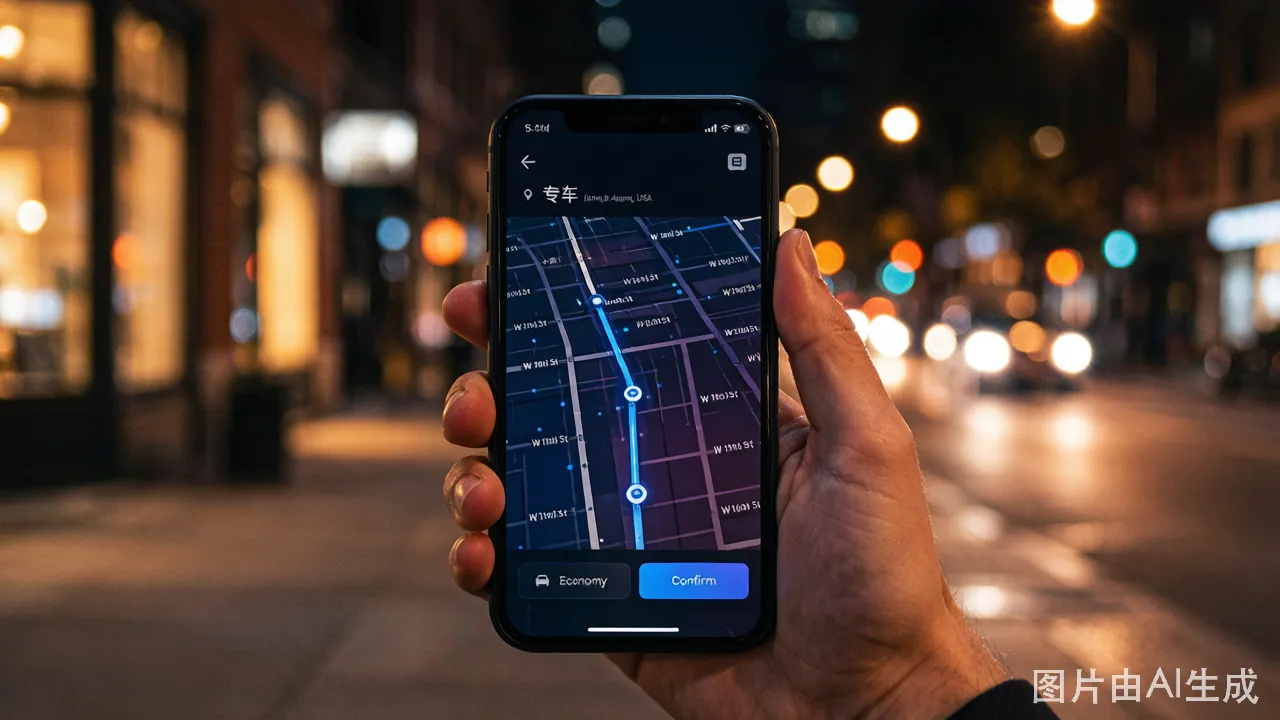
Premier (专车): Higher-end sedan. Leather seats, bottled water provided. Professional drivers in suits. 1.5-2x Express fare. Good for business trips or when you want a guaranteed comfortable ride.
-
Taxi (出租车): A metered street taxi hailed through the app. The fare is set by the physical meter in the taxi, not by the app estimate. The app's estimated fare for Taxi is a rough guide only. At the end of the ride, the meter shows the actual fare. You pay through the app — no cash needed. Taxis are sometimes faster to arrive than Express cars because there are simply more taxis on the road.
-
XL (六座): 6-passenger SUV or minivan. For groups with luggage. Approximately 1.5x Express fare.
Surge pricing warning: During rain, weekday rush hours (7:30-9:00 AM, 5:30-7:30 PM), and holidays, the app displays a multiplier like "1.5x" or "2.0x" above the fare estimate. A 20 RMB trip becomes 30 RMB at 1.5x. The multiplier applies for the entire duration of the surge. Check the multiplier before confirming — sometimes waiting 15 minutes and checking again drops the surge from 2.0x to 1.2x.
Step 6: Confirm and Track
Tap "Confirm Pickup" after selecting your ride type.
The app now shows:
- Driver's name — in Chinese characters. No practical use for you.
- Car model and color — "Toyota Corolla, White," "BYD Han, Black." This is how you identify the car.
- License plate number — the most important piece of information. Displayed in green text in the Chinese format: province abbreviation + letter + 5 digits. Example: 京B·12345 (Beijing plate) or 沪A·67890 (Shanghai plate). The app also shows a small icon of a license plate shape colored green or blue — this matches the physical plate color on the car.
- How to read the license plate: The first character is the province/city abbreviation. 京 = Beijing, 沪 = Shanghai, 粤 = Guangdong (includes Guangzhou/Shenzhen), 苏 = Jiangsu, 浙 = Zhejiang. The middle letter and trailing numbers are the unique identifier. You do not need to read the entire plate — match the last 3-4 digits visually against the car pulling up. A plate ending in "7890" is easy to spot.
- Estimated arrival time — "Driver arriving in 3 minutes."
- Driver's photo and rating — usually 4.8-5.0 stars.
The map shows the driver's car icon moving toward your pickup point in real time.
Step 7: The Ride
-
Verify the license plate before opening the door. Match the last four digits on the physical plate against the digits shown in the app. This takes three seconds. It prevents you from getting into the wrong car — a common mistake when the same car model in the same color pulls up to the same spot.
-
Open the rear door and get in. Sit in the back. Front-seat riding is less common in China unless you are the sole passenger and the car is crowded. Do not be surprised if the driver gestures for you to sit in the back.
-
The driver may call or message. If the driver cannot find your pickup point, they have three ways to contact you through the app:
-
In-app call: The driver taps "Call Passenger." Your phone rings. The call routes through Didi's relay system — neither of you sees the other's real phone number. Answer. The driver speaks Chinese. Say your pickup location slowly: "I'm at the Hilton hotel entrance." If the driver continues speaking Chinese, repeat the location name. The driver is likely confirming "Are you at [Location Name]?" and needs you to confirm.
-
In-app message: The driver sends a pre-written message in Chinese. The app auto-translates it to English for you. You see something like: "I have arrived at your pickup point. Where are you?" Tap one of the preset English reply messages: "I'm at the pickup point" or "I'm on my way."
-
You send a message: Tap the message icon. Select from these preset messages, all auto-translated to Chinese: "I'm at the pickup point," "Please wait a moment," "I'm on my way," "I can't see you."
-
-
What to tell the driver if you need to communicate:
Situation Say (in English, slowly) The driver understands Greeting "Hello" Universal Air conditioning request "Air conditioning, please" + fanning gesture Points to the AC controls Change music/radio "Music off, please" + gesture toward the radio Adjusts the radio Confirm destination Point to the destination on your phone screen Reads the Chinese address on your screen Emergency stop "Stop here, please" + pointing to the curb Pulls over Thank you at the end "Thank you" + nod Nods and smiles Show the destination address on your phone screen. Phone screens transcend language barriers perfectly. The driver looks at your screen, sees the Chinese address, and nods.
-
Track your route. The map shows your position moving along the blue route line. The estimated arrival time counts down. If the driver deviates significantly from the route, the app detects the deviation and may send you a safety check message.
Step 8: Arrival and Payment
-
The driver stops near your destination. The ride ends. You do not hand over cash. You do not need to confirm payment — it processes automatically.
-
Payment is automatic and contactless. The moment the driver taps "End Trip" on their app, Didi charges your stored payment method. You receive a notification: "Ride complete. 26.50 RMB charged to Visa ***1234."
-
The app displays a fare breakdown: base fare + distance charge + time charge + any surge multiplier. Review it for anomalies. A normal 5 km trip: 10 RMB base + 8 RMB distance + 4 RMB time = 22 RMB. A 1.5x surge raises this to 33 RMB.
-
Rate the driver. The app prompts you to rate the ride with 1-5 stars. Give 5 stars for a normal ride. The star rating matters far more to Chinese drivers than a tip ever would — drivers with low average ratings receive fewer ride requests from the algorithm.
-
Exit the car. Say "谢谢" (xièxie) or "Thank you."