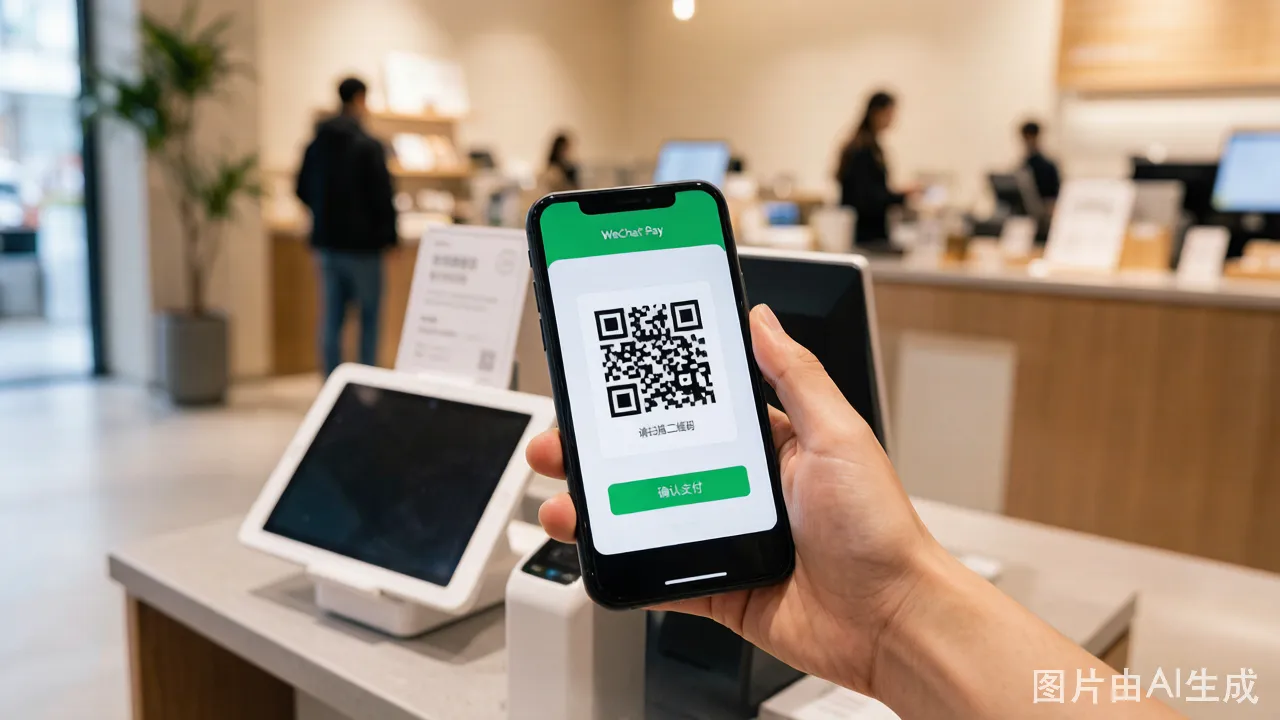
WeChat Pay is the other half of China's mobile payment duopoly alongside Alipay. Setting it up with a foreign card involves a few more steps than Alipay, primarily because you must switch the wallet region — a step not needed for Alipay.
WeChat Pay vs Alipay — What Trips You Up
Before you start, know these differences. They cause most of the frustration you will find in Reddit threads and travel forums.
Verification takes longer. Alipay verifies a foreign passport in 5-10 minutes during Beijing business hours. WeChat Pay takes 30 minutes to 4 hours, and sometimes 24 hours. The system runs manual reviews more often. If you submit at 11 PM Beijing time, expect approval the next morning. Do not plan your first WeChat Pay purchase for right after landing.
Far fewer card networks work. WeChat Pay reliably accepts Visa and Mastercard. JCB support is patchy — it works for some Japanese cards and fails for others with no explanation. American Express, Diners Club, and Discover fail almost always. The error message does not tell you this. You tap "Add Card," enter an Amex number, the green spinner runs for 15 seconds, and then: "Card type not supported." Nothing in the interface warns you upfront.
The interface stays partially Chinese. Even after switching WeChat to English, some screens in the payment section remain in Chinese. The wallet region switch screen, the identity verification status page, and certain error dialogs display only in Chinese. You will need to screenshot and translate, or follow the button positions described in this guide.
No TourCard equivalent exists. Alipay's TourCard is a prepaid fallback if direct card binding fails. WeChat Pay has no equivalent. If your card cannot bind to WeChat Pay, you have no backup path — you use Alipay and cash.
Bank coverage differs from Alipay. A card that binds successfully to Alipay may still fail on WeChat Pay. The two platforms use different payment processors and different acquiring banks. A regional US credit union card that Alipay accepts might get rejected by WeChat Pay with no specific reason. Test both platforms with the same card.
Key Facts Before You Start
- Service fee: Free for transactions under 200 RMB. 3% service fee for transactions of 200 RMB and above.
- Transaction limits: Single transaction maximum is 6,000 RMB. Monthly cumulative limit is 50,000 RMB. Annual cumulative limit is 60,000 RMB.
- Supported cards: Visa and Mastercard work reliably. JCB works sometimes. Amex, Diners, Discover rarely work. Do not rely on non-Visa/MC cards.
- What you cannot do: Send peer-to-peer transfers, send or receive red envelopes, or use WeChat financial services (wealth management, mini-program lending).
Step-by-Step Guide
Step 1: Register and Log In
- Download WeChat from your app store.
- Register using your overseas mobile number. WeChat sends a 6-digit code via SMS. Enter it to verify.
- Complete the basic profile setup — choose a profile photo, set a WeChat ID, confirm privacy settings. Skip adding contacts for now.
Step 2: Switch Wallet Region to Chinese Mainland
This step trips up more foreign users than anything else. Without it, the Add Card button either does not appear or shows only Chinese bank card options.
- From the Chats screen, tap Me (bottom-right tab, person icon).
- Tap Services — the icon looks like a wallet with cards behind it.
- If you see a sparse screen with only "Top-Up" and "Pay" in your home country's currency, you are still on your home region. The full Chinese payment functions are locked.
The Services screen before switching region. Notice the lack of Wallet, Bank Cards, or Chinese payment options.
- Tap the three-dot menu (⋮) in the top-right corner of the Services page.
- Scroll down to Wallet Region. It shows your current region — likely your home country.
- Tap Change Region. A list of countries and regions appears.
- Select Chinese Mainland (中国大陆).
- A confirmation popup appears: "Switch your wallet region to Chinese Mainland? You can continue using your current WeChat Pay functions." This is misleading — your home-country WeChat Pay functions will stop working after the switch. Tap Confirm.
- WeChat restarts the Services page. You now see Chinese payment functions: a green "Money" or "Pay" icon, "Wallet" in the menu, and "Bank Cards" as an option.
What you lose when switching: Your home-region WeChat Pay balance (if any) becomes inaccessible. If you have money in a non-Chinese WeChat Pay wallet, spend it or withdraw it before switching regions.
Step 3: Complete Passport Real-Name Verification
- From Me > Services, scroll to find Wallet. Tap it.
The Wallet screen. Bank Cards at the top. Scroll down to find Identity Information or Real-Name Verification.
- Look for Identity Information or Real-Name Verification in the Wallet menu. The exact label changes between WeChat versions.
- Select Foreign Passport as your identification type. If you only see "Chinese ID Card" as an option, you have not correctly switched your wallet region — return to Step 2.
- Enter your full name — exact match to your passport, including middle names, hyphens, and spacing.
- Enter your passport number, nationality, and date of birth. The date format is YYYY-MM-DD.
- The passport photo upload screen appears. You see a document frame on screen. Position your open passport information page inside the frame. Good lighting — no glare on the photo page. Hold steady. WeChat auto-captures when the image is clear.
- The facial recognition scan starts. A circular frame appears on a dark background. Text reads: "Fit your face in the frame." Follow the prompts: blink slowly, open your mouth slightly, or turn your head left/right. The sequence varies. A green checkmark appears on success.
The WeChat face scan screen. Note the instructions are in Chinese even on English-mode WeChat: "请将面部置于框内" means "Please position your face inside the frame." The progress ring fills as movement instructions appear below.
- Submit. You see a screen with a clock icon and text: "Verification in progress — this may take a while."
- Wait. WeChat sends a Service Message notification (red badge on the Chats tab) when verification completes. This takes 30 minutes to 4 hours typically, and up to 24 hours during Chinese holidays or weekends.
Step 4: Add Your Foreign Bank Card
- After verification approval, go to Me > Services > Wallet > Bank Cards.
- Tap Add a Bank Card. A card entry form appears.
The card entry screen. Card number field auto-detects the network. Expiry date, CVV, billing address fields follow.
- Enter your card number. WeChat auto-detects Visa or Mastercard as you type — a small card logo appears next to the field.
- Enter expiration date (MM/YY) and CVV.
- Enter your billing address. WeChat's address form is simpler than Alipay's — fewer fields. You still need exact match to your bank records.
- WeChat sends an SMS verification code to the phone number registered with your bank. If you cannot receive SMS because you are using a new Chinese SIM, switch back to your home SIM card temporarily, request the code, enter it, and switch back. Dual-SIM phones solve this.
- If prompted, complete 3D Secure verification — an additional password or code from your bank's secure page.
- A green checkmark and "Card added" confirms success.
Step 5: QR Code Scanner vs Show Payment Code — The Confusion
Unlike Alipay where both options are prominent on the home screen, WeChat Pay buries them differently. Here is the difference:
"Show Payment Code" (the merchant scans you):
- From any screen, open WeChat and swipe down from the top of the screen. A QR code and barcode appear — this is your payment code. The merchant scans it.
- Alternative: Go to Me > Services > Money (green icon). Your payment code displays at the top, with a barcode below it.
- At FamilyMart, 7-Eleven, and supermarket chains, the cashier usually expects you to show this code. Hold your phone up to the scanner beside the cash register screen.
- The payment code refreshes every minute. If it takes too long, swipe down to generate a new one.
"Scan to Pay" (you scan the merchant):
- From the Chats screen, tap the "+" icon in the top-right corner.
- Tap Scan. The camera opens.
- Point at the merchant's QR code — usually a laminated card on the counter, a sticker on the wall, or displayed on the POS machine screen. WeChat auto-detects and opens the payment screen.
- At small restaurants and street food stalls, the QR code is almost always on the table or counter. Sit down, scan, pay. Nobody brings you a bill.
The confusion: The Swipe-Down payment code gesture only works from the main WeChat screen. If you are deep in a chat or in Settings, it does nothing. Many first-time users stand at the register swiping frantically from their chat list. Close the chat, go to the main screen, then swipe down.
Step 6: Start Paying
To pay at a store:
- Showing your code: Swipe down from the WeChat home screen and present the QR code + barcode to the cashier.
- Scanning merchant code: Tap "+" on the Chats tab, tap Scan, and scan the merchant's QR code.
- Enter the payment amount if prompted, then enter your 6-digit payment password.
- A green checkmark and transaction sound confirms payment. WeChat sends a Service Message with the amount.
Mini-Program Payments That Fail with Foreign Cards
WeChat mini-programs are apps-within-the-app: ordering food, booking train tickets, paying utility bills. Your foreign card works for some and fails for others. Here is the list:
| Mini-Program / Service | Works with Foreign Card? | What Happens |
|---|---|---|
| Meituan (food delivery, hotel booking) | Partially | Works for food delivery orders under 200 RMB. Fails for hotel deposits or orders with coupons applied. The error: "Order cannot be completed — payment method not supported." Switch to Alipay for Meituan. |
| Didi (ride-hailing) | Yes | Works reliably. After linking the card, confirm it shows in Didi's payment method list. Some users report needing to tap "Pay with international card" specifically. |
| JD.com (shopping) | Rarely | Most transactions decline. JD's payment processor rejects foreign cards on virtual goods, electronics, and orders over 500 RMB. Use Alipay instead. |
| 12306 (train tickets) | No | Foreign cards are rejected on the official railway booking mini-program. Use trip.com (website, not mini-program), Alipay's train booking, or buy at the station. |
| Restaurant ordering mini-programs (table-side QR) | Mostly yes | When you scan a QR code at a restaurant table to order food, your foreign card usually works. The payment routes through WeChat Pay's standard merchant system. |
| Utility bill payment (electricity, water) | No | These require a Chinese bank account. Your foreign card is not an option in the payment method selector. |
| Taobao mini-program (shopping) | Sometimes | Small-value purchases (under 200 RMB) from Taobao sellers who accept international cards work. Larger purchases or items marked "domestic payment only" fail. |
Rule of thumb: For online services (food delivery, shopping, train tickets), use Alipay. WeChat Pay's mini-program ecosystem assumes a Chinese bank card most of the time. WeChat Pay works best for in-person payments at physical stores, restaurants, and street vendors.
Tipping and Gift Money Features
There is no tipping feature for foreign card accounts. Chinese digital tipping (打赏, "dashang") is a feature where you can send small amounts (1-66 RMB) to content creators in mini-programs. This routes through peer-to-peer transfers, which foreign-card accounts cannot do. If a mini-program prompts you with a "send a gift" or "tip the author" button, tapping it will show: "This function is not available for your account type."
Red envelopes (红包) are not available. This is the most commonly asked question from foreigners. WeChat's red envelope feature — sending money in a digital red packet to friends — does not work on foreign card accounts. You cannot send red envelopes. You cannot receive red envelopes. If a Chinese friend sends you one, WeChat displays: "You have received a red envelope," but when you tap to open: "Cannot open — your account type does not support this feature." The money returns to the sender after 24 hours.
Gift cards and vouchers purchased within mini-programs may work if the payment processes through a standard merchant transaction. A digital coffee chain gift card that rings up as a regular purchase: sometimes. A peer-to-peer gift: never.
Common Error Fixes
| Problem | Likely Cause | Solution |
|---|---|---|
| "Function not available in your region" | Wallet region not switched to Chinese Mainland | Go to Services > ⋮ menu > Wallet Region > Change to Chinese Mainland |
| "Card type not supported" | Using Amex, Diners, Discover, or JCB | Switch to a Visa or Mastercard. Do not waste time trying other networks. If already using Visa/MC, call your bank — they block China transactions at the bank level. |
| "Real-name verification failed" | Name or passport number mismatch, or photo quality | Re-enter details matching passport exactly. Re-take passport photo in bright, even light with no shadows on the text. |
| "Cannot add card" after verification approval | Bank blocking the zero-amount authorization | Call your bank. Ask them to enable overseas online transactions and whitelist WeChat/Chinese merchants. |
| "Transaction declined" at a merchant | Amount over your single-swipe limit (6,000 RMB max), or merchant category blocked | Split into smaller payments or use a different card. Try a 50 RMB test transaction at the same merchant first. |
| "Risk control — payment restricted" | WeChat's fraud system triggered by unusual pattern | Stop using WeChat Pay for 24 hours. Do not try again repeatedly — each declined attempt counts against you. Use Alipay or cash for a day. Try a small transaction (under 20 RMB) the next day. |
| Verification pending for more than 24 hours | Passport photo stuck in manual review queue | This happens during Chinese national holidays (Spring Festival, October Golden Week). Wait it out, or go to Me > Services > Wallet > Identity Information and check status. If there is a "Resubmit" button, your photo was rejected — take a better one. |
| Wallet region switch grayed out | You have a balance in your home-region wallet | Withdraw or spend your home-region WeChat Pay balance first. The switch option unlocks once your balance is zero. |
Tips for Smooth Use
- Set up Alipay first, then WeChat Pay. Alipay's English interface and simpler setup make it a smoother first experience. Once Alipay works, you have a working payment method while configuring WeChat.
- Keep your passport scan on your phone. WeChat may ask you to re-verify if it detects unusual activity — especially if you switch phones or reinstall the app.
- Test with a small purchase. After setup, buy a bottle of water at a convenience store — a 3 RMB transaction confirms everything works before you rely on it for a 500 RMB dinner.
- If WeChat Pay refuses to cooperate after 3 attempts, stop trying. Each failed attempt increases the chance of a temporary account restriction. Use Alipay and cash instead, and try again the next day.
- Screenshot the Chinese error screens. When an error appears only in Chinese, screenshot it and use Google Translate or the WeChat built-in image translate (long-press the image in a chat with yourself, tap "Translate").